Web apps and internal tools, built around how your team works
Most small businesses run on spreadsheets, paper forms and software that nearly fits. That works until jobs get double-booked, a form goes missing, or someone spends Friday afternoon copying figures from one place to another.
We build software that fits the way your team already works, so the office and the people out on jobs are looking at the same information.
The problems we usually hear
- “The office doesn't know what's happening on site until someone rings in.” Jobs, changes and finished work live in people's heads and on WhatsApp.
- “Inspections are on paper, and someone types them up later.” Forms go missing, photos are on personal phones, and signatures get chased.
- “Quotes take too long.” Every quote starts from a blank Word document, and prices drift.
- “Our customer details are in five places.” Three spreadsheets, an inbox and somebody's notebook.
- “We pay for an app we only half use.” It does a lot, just not the thing you need.
If any of those sound familiar, a small piece of software built for your business can usually fix it.
What we build
Web apps and internal tools for the jobs your business does every day, such as:
Job scheduling
Who is going where and when, visible to the office and the people on the road.
Site inspections
Forms and checklists filled in on site, with photos and signatures, instead of paper that has to be typed up later.
Quotes and invoicing
Quotes built from your own prices, turned into invoices when the work is done.
Customer records
One place for contact details, history and notes, instead of several spreadsheets.
Dashboards and automations
The figures you check every week in one place, and the repetitive steps done for you.
We can also add to, or fix, software somebody else built. We'll look first and tell you honestly whether it's worth building on.
See it working
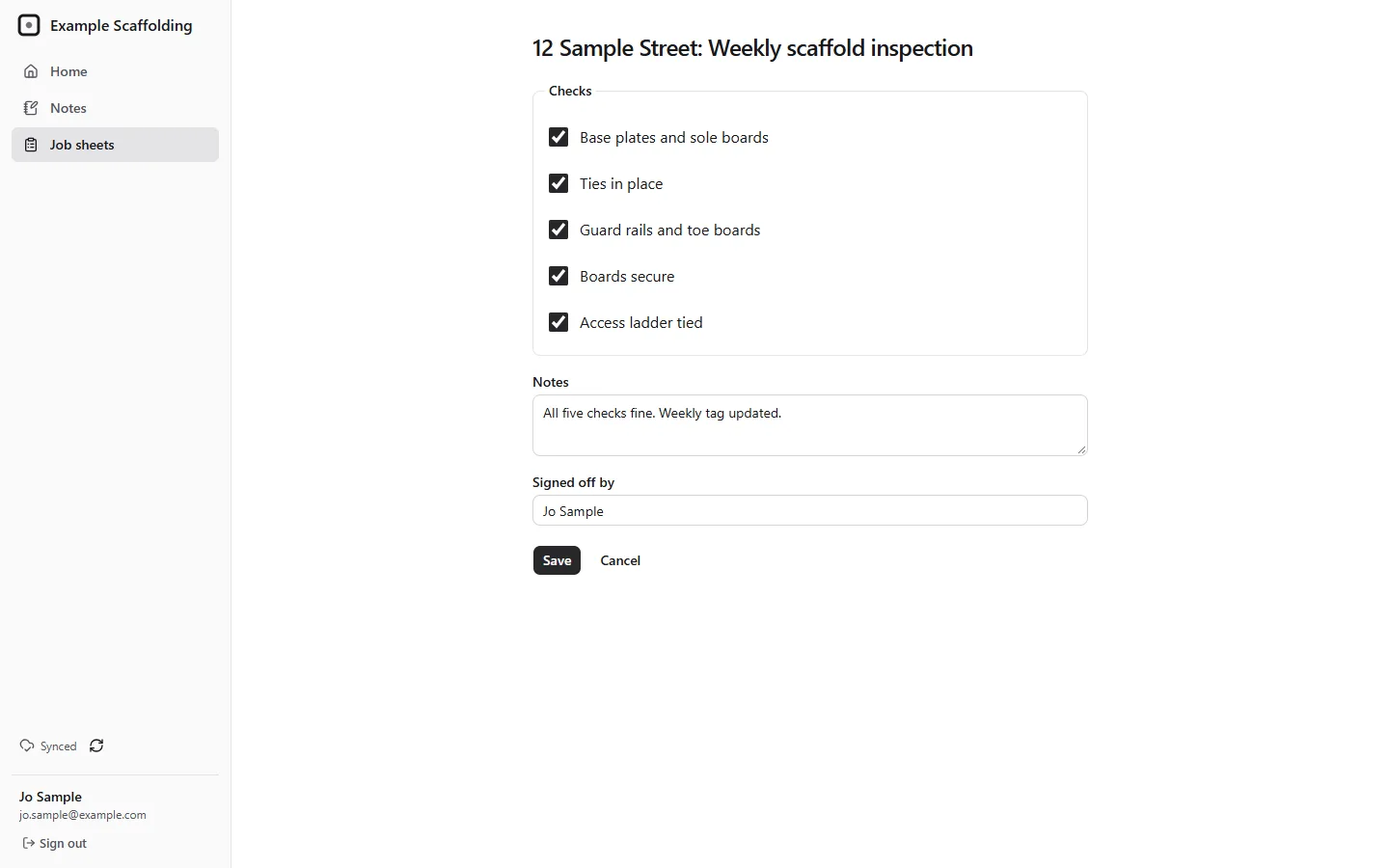
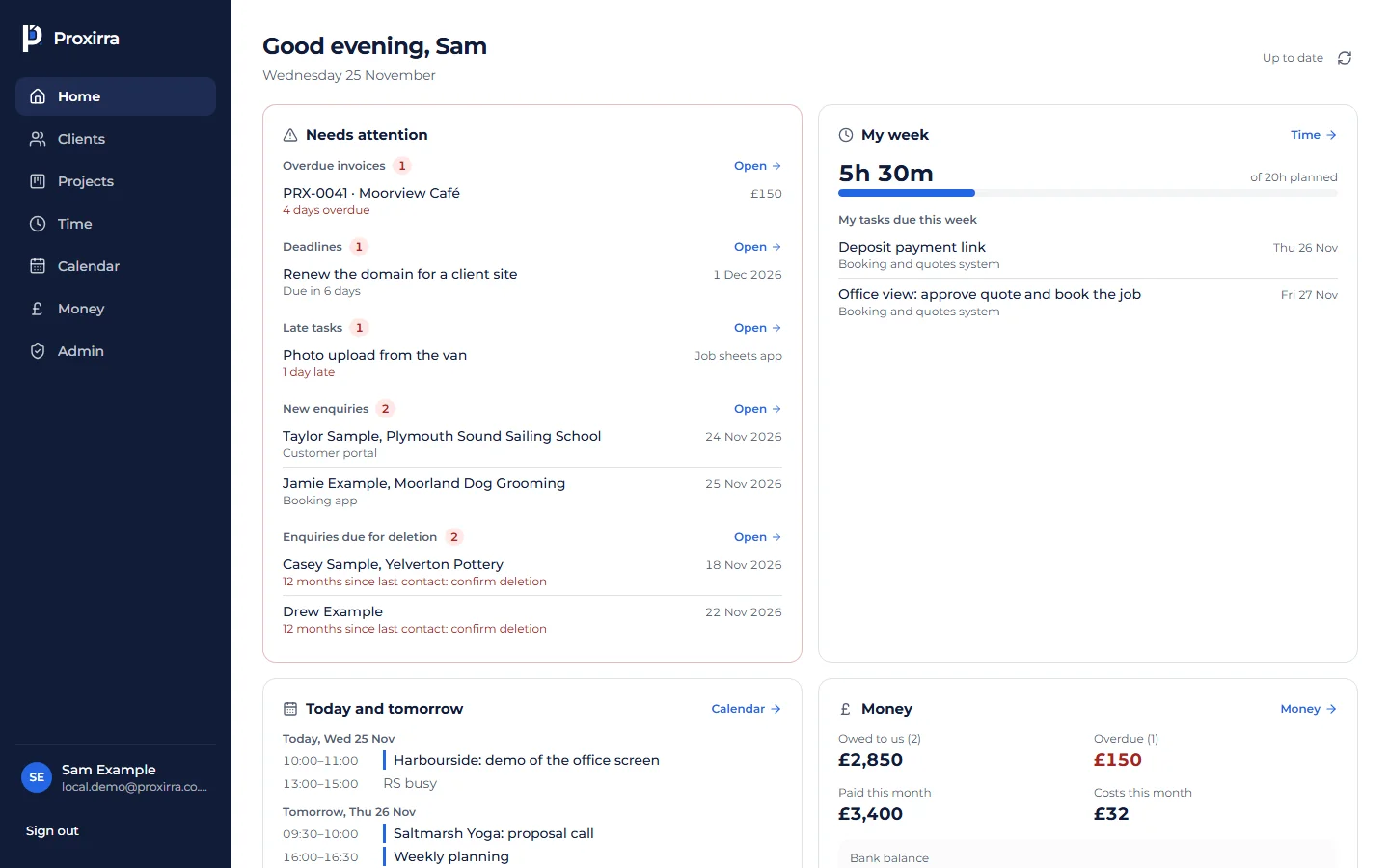
A demo app built on the template we start every client app from: a job sheet filled in with no signal, then synced once the signal is back. There are screenshots of the app we run Proxirra on too. Everything you see is made-up data.
A demo app built on our starting template: a job sheet filled in with no signal and saved as "1 pending", then "Synced" once the signal is back. A screen recording at phone size, with the connection switched off in the browser. Made-up data.
Read the transcript
A silent screen recording, about 30 seconds long, of a demo job sheets app at phone size, with made-up data. It was recorded in a browser, with the connection switched off in the browser to stand in for losing signal. It starts online: a list of three job sheets, with "Synced" at the top. The connection goes off: a "You're offline" banner appears and the status changes to "Offline". The job sheet for 12 Sample Street, a weekly scaffold inspection, still opens. All five checks are ticked (base plates and sole boards, ties in place, guard rails and toe boards, boards secure, access ladder tied), the note "All five checks fine. Weekly tag updated." is typed and the sheet is signed off by Jo Sample. After Save, the list shows the job as done and "Waiting to sync", with "1 pending" at the top. The connection comes back and, without anything being pressed, the status changes to "Synced".
 (opens a larger view)
Screenshots of our own app (5)
 (opens a larger view)
Our internal app: the dashboard each of us starts the day with. Made-up data. 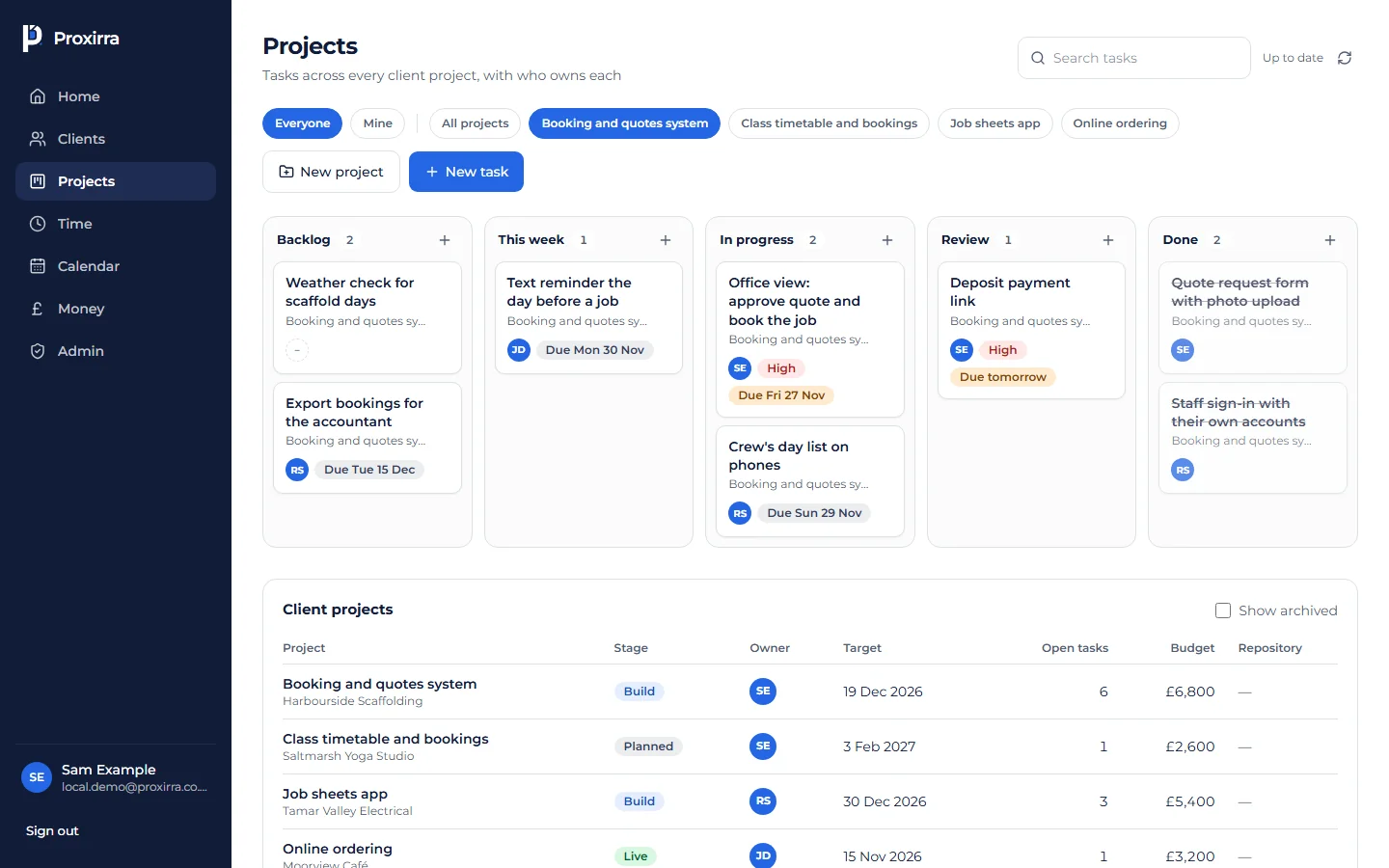 (opens a larger view)
Our internal app: one project's tasks, from backlog to done. Made-up data. 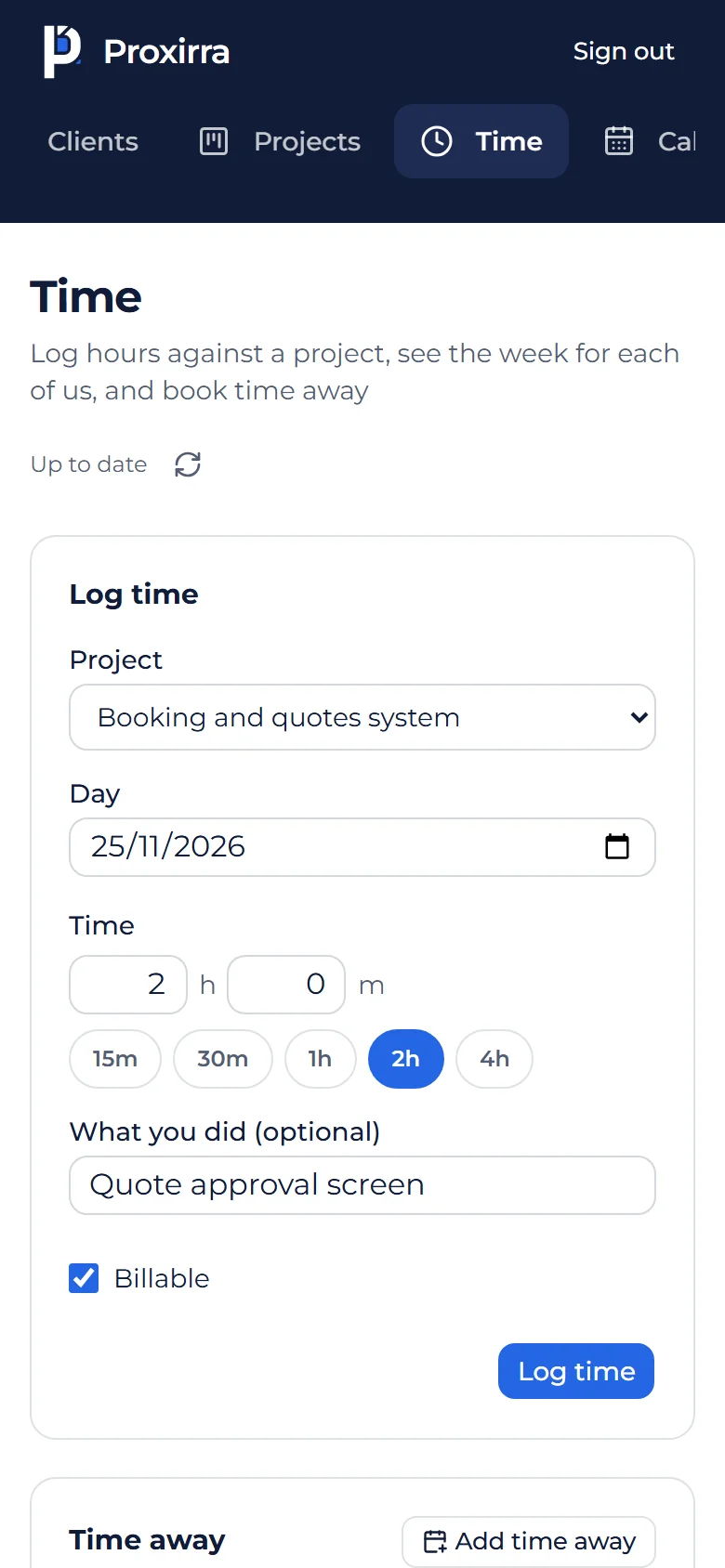 (opens a larger view)
Our internal app on a phone: logging time takes seconds. Made-up data. 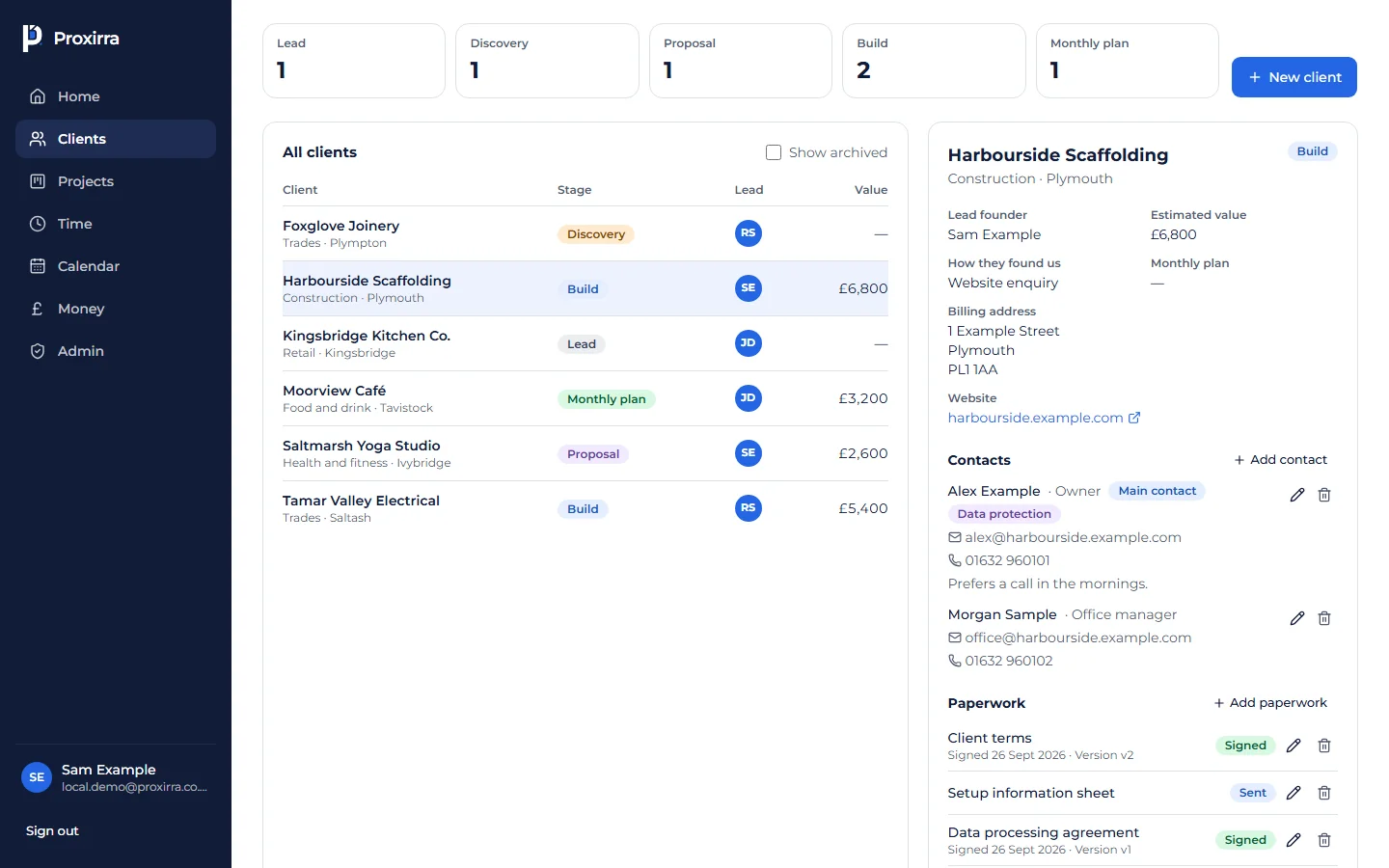 (opens a larger view)
Our internal app: every client, their contacts and their paperwork in one place. Made-up data. 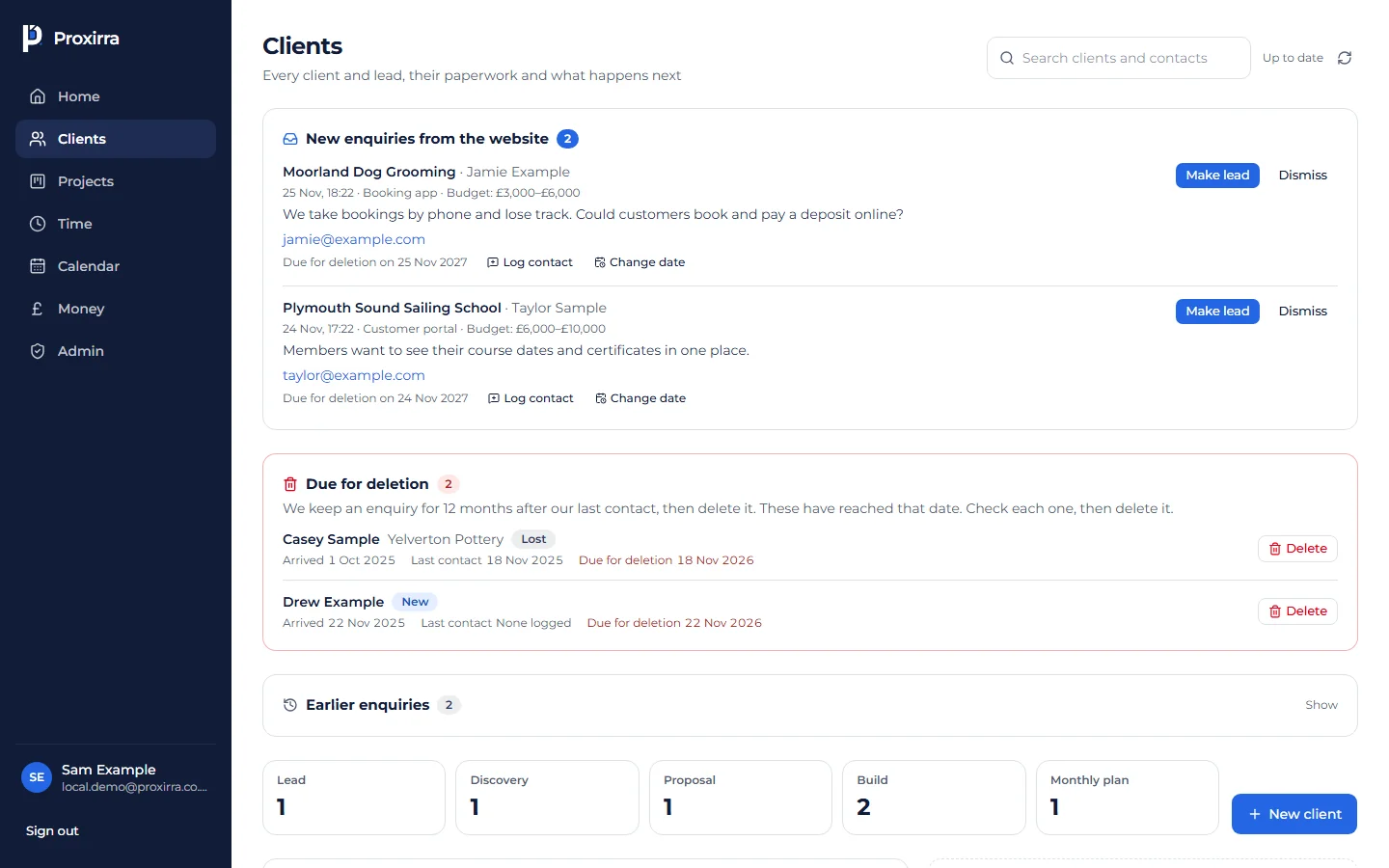 (opens a larger view)
Our internal app: new enquiries from the website, and the old ones we delete once their 12 months are up. Made-up data.
Who it's for
Small and growing businesses across Plymouth, Devon and Cornwall that have outgrown a spreadsheet or a paper process. You don't need a technical background: we'll ask how the work gets done, not about code.
Works on phones, tablets and computers, even without signal
Your team uses the same app on a phone on site, a tablet in the van or a computer in the office.
Signal is patchy in plenty of places across Devon and Cornwall, so our apps keep working offline. Your team carries on updating jobs, and everything syncs once they're back online.
Your team installs it on a phone or tablet straight from the browser, and it sits on the home screen like any other app. There's no app store involved and nothing to wait for.
How a project runs
- A first conversation. You tell us how the work gets done today and what gets in the way. The first conversation is free.
- A written proposal. What we'd build, how long it should take and what it costs. Nothing starts until you've agreed it.
- Building it, with your team. You see working software as it takes shape, not just at the end, so the people who'll use it can try it early and there's time to change course.
- Launch. We put it live, help your team get started, and fix anything that comes up in the first weeks.
- Looking after it. We host it and keep it running on a monthly support plan.
Where your data is kept
Your data is kept in UK-hosted databases. We'll tell you exactly which services your app uses, and where, before anything is built. Read how we look after your data.
What it costs
Web apps and internal tools start from£1,000
Every project gets a fixed, written proposal before any work starts.
Builds are paid 50% up front and 50% on completion. Monthly plans go on one monthly invoice.
The first conversation is free.
How long it takes
The proposal sets out how long your project should take. You'll see working software as it takes shape, so there is time to change course before the end.
Questions
Do I need to know what I want before getting in touch?
No. A few sentences about the problem is enough. Working out the detail is part of the first conversation.
We paid for an app before and nobody used it. Why would this be different?
That happens a lot, and it's usually because the app was built around how someone thought the work was done, not how it really is. We start with the people who'll use it: how the job gets done today, what gets in the way, and what would make their day easier. You see working software as it takes shape, so your team can try it early and tell us what doesn't fit. Small changes along the way are part of the build; anything bigger is agreed in writing first.
Will it work if my team has no signal?
Yes. The apps keep working offline and sync your changes once you're back online.
Can it connect to the software we already use?
Often, yes, if that software lets other systems connect to it, as accounting packages such as Xero and QuickBooks do. We'll check before we propose anything.
Why not just use an off-the-shelf app?
Sometimes you should, and we'll say so. If an existing app does what you need at a fair monthly price, that's usually the better choice. Bespoke software makes sense when you're bending the way you work to fit a product. It also makes sense when you're paying per user for features nobody uses, or copying the same information between tools that don't talk to each other. We'll tell you honestly which side of that line you're on.
Who owns the software?
You do. Once the final payment is made, the code written for your project is yours, and your data is always yours. If you ever want to move on, we'll hand over the code, the data and the accounts it runs on. The one exception is general-purpose code and tools we reuse across projects: you get a licence to use them in your software. Open-source libraries stay under their own licences.
Got a job that should be easier?
Your enquiry goes straight to the people who'll build your software. Need a website too? See business websites, or read more about us.
Tell us what you needThe first conversation is free.